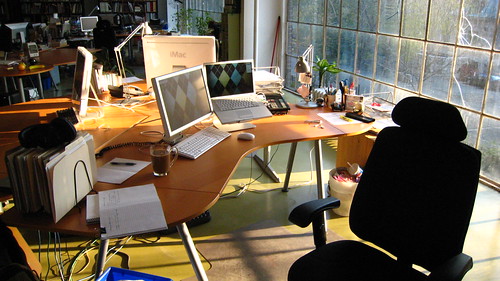
For work I use a Mac Book Pro plugged into a second monitor.
Something had gotten messed up when not plugged into my ACD, eventually almost all the time when opening the lid the laptop display would not wake-up. I could hear the finder working/beeping/the hard drive spinning but nothing would get the screen back from black.
This had led to some forced restarts which is never a good thing.
It hadn’t seemed to be happening at work. The clue came when I was at home where I have a DVI to VGA adaptor for sending movies to my TV as a second output.
The screen had gone black again on wake; this time I happened to try plugging in the DVI adaptor to see if there was any video signal and voila; my desktop popped up on my TV. I unplugged the DVI connector and my laptop screen came back on just fine. (seems obvious after the fact)
I searched around and found someone who had seen this, and discovered a potential solution.
“I’ve had this problem too; when I first got my new MacBook Pro it worked fine. Then recently, this problem began to crop up, especially after I had connected an external monitor, put the machine to sleep and restarted — the MacBook Pro screen came up black (sometimes just showing the cursor, sometimes not).
The following seems to have cured the problem for me (at present!). Quit all running applications. Go to /System/Library and find Extensions.mkext. Delete it (password needed). Restart.
I’d like to know if this works for other people.” — http://discussions.apple.com/thread.jspa?messageID=6854528
I followed through with his recommendation. My mac took a couple extra minutes to boot up the next time; checking the /System/Library/Extensions.mkext file — it was newly created and seemed to be the same size (10.1 meg).
Seems to have solved my problem for now. I’m almost positive this is something that will be addresses in a 10.5.x to come.
i’ve been having a similar problem, albeit a little different. when connected to my external monitor (and other assorted hard drives and peripherals) when i put the MBP to sleep, it stays asleep for about 5 minutes and then wakes up. Sometimes it lulls itself to sleep again after a little while, and other times it never goes back to sleep and stays on (all night long). I can’t seem to figure it out.
It also has this weird problem, when I disconnect it from the monitor and peripherals, sometimes it doesn’t know if the monitor is still connected. I open the computer and it goes to sleep. I close it and it wakes up. Eventually after like 3 to 4 min of being closed it resets itself and goes to sleep.
Ed – you might want to check out http://www.jinx.de/SmartSleep.html
Not sure if it will help but it does give you a bit of control over the sleep “type” that your mac will use.
For the second one — Sounds like you might want to try out what I did. I was actually a bit nervous that it would mess things up (deleting a 10 meg system prefs file) but it seems to have worked fine.
This problem is getting worse for me day after day. It is now happening almost once every 2 days (sometimes even once a day).
None of the changes suggested so far on the message boards, forums have helped (changing safesleep, reseting SMC, changing lidwake, etc.).
I am running 10.5.2 on Mac Book Pro Intel Core 2 Duo.
Any ideas
Abhi –
I’ve plateaued about about the same point – it’s about once per day now – especially going back and forth between work (where I plug into a second monitor) and home.
I’m running the same mac as you – still no luck – I can only hope that Apple addresses it with a ” Leopard Graphics Update 1.1″ or something soon.
Let me know I you find out anything and I’ll do the same.
I am having this problem with a MBP Core 2 Duo, multiple displays.
For me what happens is that one of the displays is black, and the cursor is just some random garbage from memory and the blackness is re-drawn with the desktop image as I move a window around the screen, or drag a selection rectangle.
So far so fine, I can get the display back, and the cursor comes back when an app does the watch, or spinning wheel or death cursor, so that is OK. The REAL PROBLEM, is that something is hogging the CPUU – find and some make command, and whenever I go to drag a window, windowserver maxes out the CPU and causes the dropshadow area of the window to be drawn with random screen parts, and the window moves in a jerky fashion, or sometimes not at all for about 10 seconds… the only solution to this one is to re-boot the mac.
If I let it go on too long, eventually the system locks up completely and I have to force power off, not nice.
It all started off as an annoyance, but the jerky window movements and lockups all started since the last software/firmware update, and I also suspect Office 2008 may be in the mix too, as installing Office seemed to push the problem to new levels.
Anyway, my random associations, but was wondering if anyone else has experienced anything similar.
thanks Steve.
Will keep you posted.
How do you determine the version of Leopard Graphics Update?
I see the following:
GraphicsAppSupport:
Version: 1.0
Last Modified: 11/7/07 3:49 PM
Location: /System/Library/PrivateFrameworks/GraphicsAppSupport.framework
Private: Yes
But this was installed on 11/7/07. The problem started happening since about a month back.
Pretty sure Apple has only released 1 version of that graphics update — 1.0.
I’m having almost exactly the same problem. Extensions.mext deletion solved it the first 2 times but now nothing works. Display doesn’t work under any circumstances, even an external monitor attached, but the system still works.
Wow — Guess I’m lucky that my display still works — seems there should be more uproar about this crap.
Check out the last email
http://discussions.apple.com/thread.jspa?threadID=1337981&tstart=0
that suggests that don’t shutdown the lid with the power plugged in.
Ill try that, ie, take out the power cable everytime before closing the lid.
Let me know if you guys try it as well.
thanks
Thanks Abhi – I subscribed to that thread.
Also tried a shotgun approach today;
* remove screensaver password
* removed screensaver
* deleted /var/vm/sleepimage
* installed latest firmware
* turned off all energysaver options
Maybe this will help; if it does i’ll slowly try and replicate the issue.
If not — i’ll start testing the power cable suggestion.
cheers
Update:
Something in that last try seems to have worked. I have not seen the issue since I did this !
Crossing my fingers !!!
After installing the latest MacBook Pro EFI Firmware Update, the problem seems to have disappeared also on my computer.
Great to hear Mik — so far so good for me also.
I”m going to slowly turn back on some of the screen/energy saver options and see what happens.
Updated the post above — let me know if this fixed it for you also.
Hey Steve,
I have a MacBook Pro that originally shipped with Boot ROM version “MBP31.0070.B05” and the previous firmware update would not install on this computer, however the latest EFI Firmware Update (1.5.1) does install and from my testing (by interrupting the sleep process several times — half closed lid, unplugged USB devices during sleep mode, etc) it would appear that the update has indeed resolved the issue that we were having with wake-from-sleep.
WOOHOO!
Great to hear !!
I’ve been reading other spots on the net where people are having tons of luck also. It was a pain but at least it’s resolved.
cheers.
Hey thanks for the note about the fix from Apple – this problem was doing my head in especially when colleagues gave me the well you should have bought a pc routine, thanks very much.
the second update works! :)
Thanks!
The second fix seemed to work for about a week but now I am back to the same problem. All hope is dashed. There has been a lot of talk about this for a long time so I am wondering why Apple has not really been able to solve the problem….
[…] Mac Book Pro display wake-up issues ? Stevey.com none of this stuff worked for me. (tags: MacBook Pro Display Problem) […]
[…] Mac Book Pro display wake-up issues ? Stevey.com Possibly related posts: (automatically generated)links for 2007-11-20links for 2007-08-06 […]
I have everything upgraded and it is still happening. it’s now even giving me the black screen when i’m NOT moving from the external to regular mode. it’s doing it randomly, all the time. what gives!
Not sure Tricia; A lot of people have had success with the newest firmware update. Have you tried logging in under a different/new user account to see if it still happens ?
HI. My MBP with dual monitors has this annoying thing where the MBP MCD turns blue shades and I have to go into sys pref to set it back… this only started when I went back to dual monitors. I hope this is a OS thing and can be fixed. This is my second MBP, my other was in for multiple repairs 4+ and I was given a replacement. I agree with others here.. Apple has to do a better job of quality control right from the get go…. not after many many people have had to go in to Genius bars, repair shops, call centers etc…
Rod :-)
previous comment should read MBP LCD not MCD… :-) delete this correction or correct the other one….
Rod :-)
Hi, My MBP os tptally messed. I cant start it up with external monitor or with the built in display. When set as a fire wire startup disk, it works just fine thru my iMac…
Main problem i face right now; How the hell do i determine the firmware without booting from it? Thru the imac, it gives me the iMac specs.
I have also just tried a system restore with no luck… As a last resort, i could back up my jobs and just erase the whole system, but now i am even worried if that will help
Anyone have a BRIGHT idea!? Please help!!
Faz
Faz – sounds like something you’d want to visit an apple store to look at it if possible. If the screen doesn’t come on at all then you really have a problem. :\
Steve, not an option here. i live in Uganda (kinda the middle of no where) and no apple stores exist here.. The weird thing is that this happened before and a few force restarts sorted it out! What could be going on!
Magically, the display came on yesterday… And i used the machine with no problems what so ever the whole day!! However, i am back to Square one today!!! This is frustrating!
When you say the screen is “black” do you mean it is not even powered up (or at least looks that way)?
I left my laptop over a period of time and now the display will not come up. The release latch button is lit with dull white color. Keyboard lights up in the dark but the display is shot. I can ssh into the laptop….but no clues on what to do to resolve this….suggestions?
I would check with apple – there’s a known RECALL on logic boards due to fault graphics chips. Apple Canada replaced mine for free – no Q’s asked. (yes – my screen was completely black / no power)
i just had a similar black out issue when waking from sleep with an external monitor connected. i disconnectted the monitor and it was still black
hitting the brightness button a few times did the trick though – perhaps even if i didnt unplug it would have worked – possibly an easy fix for people out there.
I’ve had the same issue for a few months now. In the past, I’ve tinkered around with my MBP until it came back to life. Today, I called Apple and they were super helpful. After about two minutes on the phone, the tech guy told my it was likely a problem with the NVIDIA card that has a “higher then normal’ failure rate and that I would be eligible for a free replacement. I have an appointment booked at an Apple Store tonight and they will confirm the problem and apparently replace the logic board in about two days.
That’ll probably fix it Ben — they did that to mine (replaced the logic board under warranty — no questions asked) and been fine ever since. Good luck !
Once again to everyone who’s seen this problem – Call Apple / go to an Apple store. In my case — this was NOT software related/nothing I could have fixed. Apple knew about the problem as soon as they tested my mac and saw the SN/Build date. I fixed mine through the MTL Apple store downtown by making a genius bar appointment. Been perfect ever since.
Well…. It all went ‘Black’ for me back in March (Friday the 13th – go figure!). So I hooked up my MBP to my old (faithful) G3 PB FW and began to back up all my work and files… then the power cable came out (on my MBP in FW Command T mode) and so ran out of juice mid copy. So I plugged in the power cord to my MBP and Command T again and then hey presto – Blue Screen with Yellow FireWire symbol bouncing around…
The a couple of weeks later its back to ‘Black’ and I find your site Stevey and do the ext.mkext delete and then reboot and were back in business… of course this has happened a few times… and today I go to boot up and were in the ‘Black – Screen’ mode… so I’m now backing up as i’m in at out local Apple Store to once and for all get this sorted…
Like many posts on here its so annoying!!
I agree Miguel — I had a tough time reproducing my issues which was really frustrating. I can say that since Apple fixed my MBP — I have not seen the issue again. Best of luck.
Sad to say but it could be a hardware issue, put in your boot os disk and hold down “d” you will be able to perform a hardware test (as long as you can see the screen).
It will be probably related to the video card which in the case of the of Mac books is part of the logic board which makes things very expensive.
If your model uses a geforce 8600 get it in to apple fast as it might be eligible for replacement…
http://support.apple.com/kb/TS2377
I sometimes get the external monitor starting and not the MacBook. This works:
System Preferences > Displays. There’s a check box for ‘Show Displays in Menu Bar’. Check it.
Anytime only one screen comes on, click the display icon in the menu bar and click Detect Displays.
Bingo! They both work as normal.